adobe premiere · macos
copy an image. press comma. it's in your timeline.
stop saving screenshots to your desktop and importing them like it's 2012.
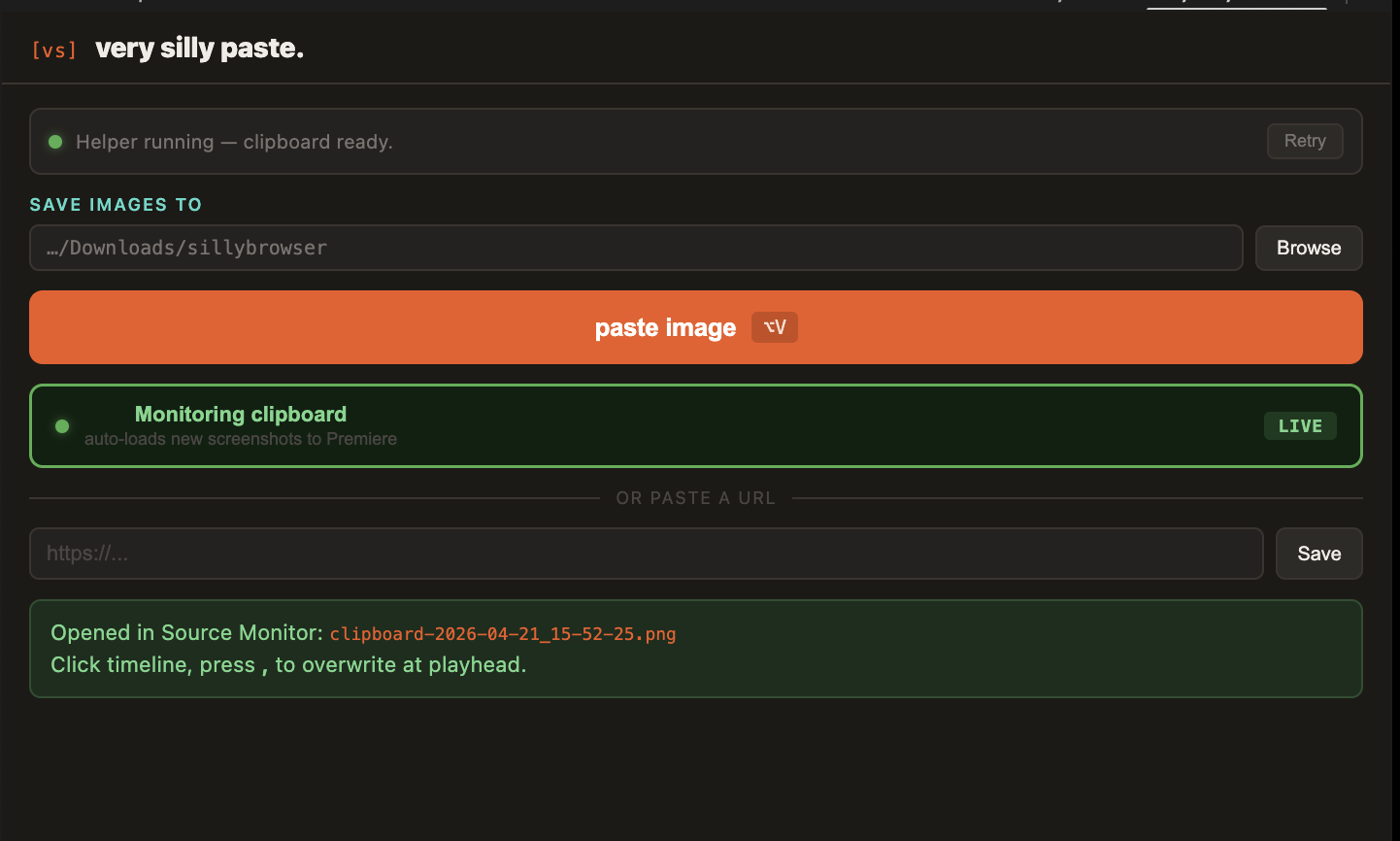
six steps collapsed into one.
You're on a call. Client shares a reference frame. You screenshot it. Now you've got to save it, find it, import it, locate it in your bin, open it in Source Monitor, and then — finally — edit it in. That's wild.
Very Silly Paste collapses that to one step. Copy anything — a screenshot, a Chrome image, a reference frame — and it lands in your Source Monitor automatically. Press , to overwrite at your playhead. Done.
Built for editors who are already in the zone and don't want to context-switch for a single image.
three steps. that's genuinely it.
copy any image to your clipboard
screenshot, browser image, reference frame — if you can copy it, it works.
it auto-loads into premiere's source monitor
the plugin watches your clipboard. the moment an image lands there, it's already in premiere and imported to your project bin.
press , or . to overwrite at your playhead
standard premiere shortcuts. or hit ⌥V to trigger it manually if you prefer.
what it does, no padding.
- works with screenshots, browser images, anything on your clipboard
- auto-detects new clipboard images — no clicking required
- imports directly to your project bin
- one-time price, no subscription. obviously.
one-time purchase
$3. done.
no subscription, no cloud, no nonsense. pay once, use it forever.
adobe premiere · macos · one-time purchase · no subscription